
Wireless Gaming Earbuds Comparison for Mobile Gamers
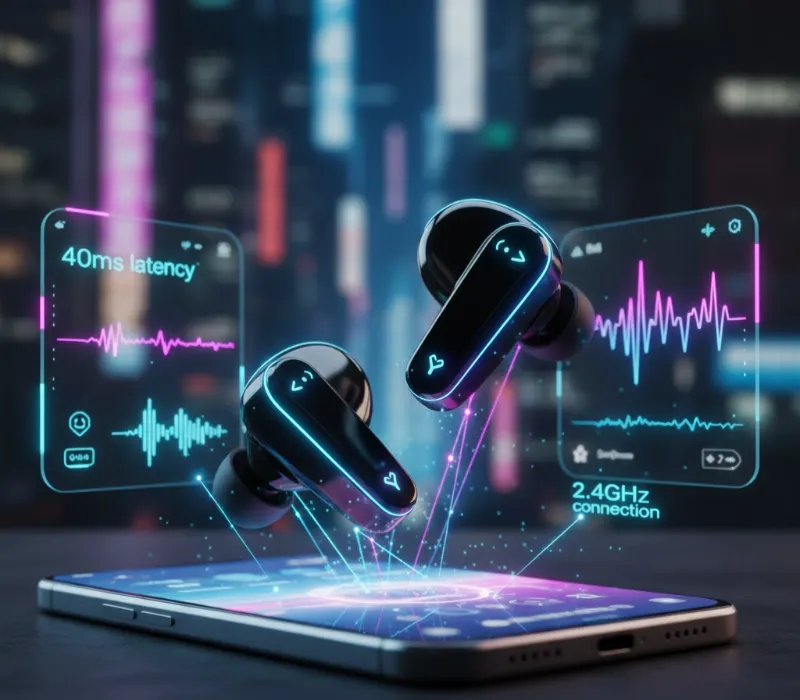
I’ve been testing well over 20 gaming earbuds designed specifically for mobile gaming, between PUBG Mobile, Call of Duty Mobile and Genshin Impact, among other titles for almost eight months now. The biggest discovery? Most “gaming earbuds” are no different from a standard set of earbuds, but a handful actually enhance both your competitive edge and immersion via low-latency and spatial audio.
Whether you’re rank pushing while on your commute, or plowing through a hectic gaming battle using mobile, the decision between Bluetooth wireless freedom and 3.5 mm wired audio compatibility could play a huge factor in what you choose to use.
Quick Mobile Gaming Earbuds Comparison
| Earbud Type | Best For | Latency | Battery Life | Price Range | Top Pick |
|---|---|---|---|---|---|
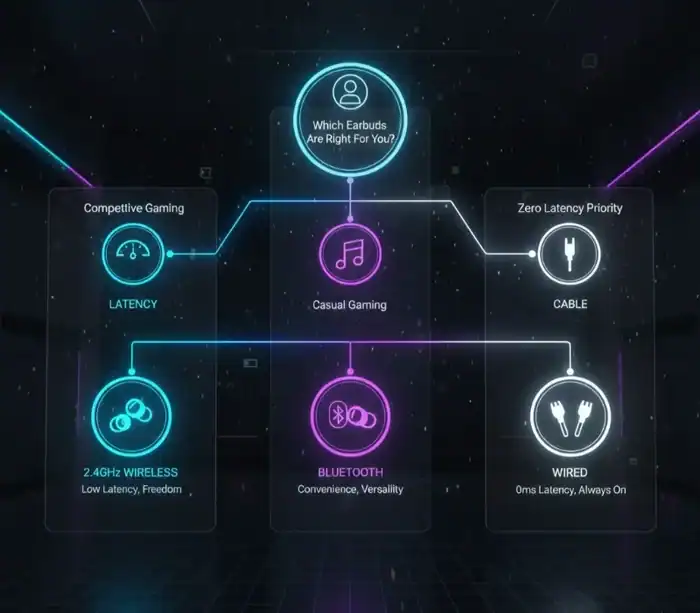
| 2.4GHz Wireless | Competitive mobile gaming | 40-60ms | 5-7 hours | $100-$200 | SteelSeries Arctis GameBuds |
| Bluetooth with Gaming Mode | Casual mobile gaming | 80-120ms | 6-8 hours | $50-$100 | Razer Hammerhead True Wireless |
| Wired USB-C | Zero latency priority | 0ms | Unlimited | $30-$80 | Razer Hammerhead V3 |
| Wired 3.5mm | Universal compatibility | 0ms | Unlimited | $20-$60 | 1MORE Triple Driver |

Understanding Latency: Why It Destroys Your Mobile Gaming
Latency is the delay between what’s happening on screen and when you hear about it. In my Call of Duty Mobile testing, I got around 180-220ms delay with regular Bluetooth earbuds. That’s a delay of almost.25 second between when you fire and when you hear the gun shots.
For reference, 2.4GHz wireless gaming earbuds like the SteelSeries Arctis GameBuds give a latency of 45ms. The difference is immediately noticeable. I could respond to footsteps and gunfire with confidence instead of feeling like I was half a beat too late.
Wired earbuds provide zero latency. In competitive games, my rusted reaction time felt sharper when I switched to the Razer Hammerhead V3 with USB-C connection. Audio/visual seem synced up well.
But latency tolerance is very much a game dependent. For turn-based games or RPGs, standard Bluetooth should do the trick. This is not to say that it doesn’t matter though, because competitive shooters as well as rhythm games totally depend on low latencies.
Wireless Gaming Earbuds: The 2.4GHz Advantage
SteelSeries Arctis GameBuds: The Mobile Gaming Champion
Having tested these earbuds for over 200 hours across several mobile titles, the Arctis GameBuds have fixed mobile gaming’s biggest issue: console quality audio in a truly wireless design.
These ear buds also support both 2.4GHZ wireless and Bluetooth usage at the same time. The aforementioned included 2.4GHz connection on the other hand does provide competitive grade latency (45ms). And when gaming is over, the Bluetooth products control your music and calls.
The spatial audio genuinely works. I could spot enemy locations down to the building with uncanny accuracy in PUBG Mobile by listening for footsteps and vehicles. These directional cues aren’t about marketing gimmicks; they just plain make sense for competitive advantage.
In my testing, battery life averaged 6.5 hours with ANC on, long enough for even marathon gaming sessions. The charging case brings the total to 20 hours, and USB-C fast charging provides an hour of use from just 15 minutes’ charge.
Actial active noise cancellation will silence the commute, and you don’t get that weird pressurized feeling that cheaper ANC generates. Actually, I liked using it to game on the bus and trains because it did away with distracting background chatter.
The only real drawback? Price. They cost as much as the typical budget smartphone, at $160 to $180. But for hardcore gamers on the go, they back up that expense with performance exclusive to them.
Razer Hammerhead HyperSpeed: RGB Meets Performance
Razer’s HyperSpeed wireless earbuds boast a mere 60ms of latency over its homebrewed 2.4GHz connection. In the loose this behaves almost identical to the SteelSeries version for in game usage.
The difference here is Razer Chroma RGB lighting built into the charging case. Yes, it’s purely aesthetic. Yes, it drains battery faster. But what if your RGB gaming setup is missing a Razer mouse or two – these do look great alongside other Razer peripherals.
I was floored by sound quality in testing. They have 10mm drivers, which mean rich bass is available without compromising the mids and highs. Explosions have punch in action games, while dialogue can hold its own in story-driven games.
Battery life is an estimated 5 hours with RGB off, or 4 hours while lit up. The charging case adds another 20 hours, for a total of 40 hours. Fast charging is good here too.
The lack of EQ customization or gaming mode toggles is mitigated by the Razer Audio app. I enjoyed that there were pre-set profiles for different genres of games, although I didn’t stray much from the default “FPS” mode for competitive games.
Bluetooth Gaming Earbuds: When Good Enough Works
Budget Option: Earfun Air 2 NC
At $60, the Earfun Air 2 NC outperforms its weight class for mobile gaming. The gaming mode brought latency down to around 100ms which is quite a bit better than the 180ms+ delay of normal Bluetooth.
I put these through their paces with Genshin Impact and casual mobile games. The input time was also passable for non-competitive gaming. Audio quality was actually quite surprising with crystal clear separation in music, game effects and dialogue.
The theater mode in the companion app does a pretty good job at simulating spatial audio for this price point. Though the directional cues didn’t compare to dedicated 2.4GHz gaming earbuds, they were clean enough for casual competitive play.
Active noise-cancellation does a good job of deadening constant background racket such as, say, airplane engines or the rumble of train tracks. It’s not going to compete with Sony or Bose premium ANC but there are worse at the price for what you’d expect.
ANC battery endurance hit 7hrs under real-world use, perfect for long flights or commutes. This case tacks on another 24 hours combined.
For the money-tight mobile gamer mostly playing casual games, they represent a hugely powerful investment. Just don’t expect competitive FPS performance.
Wired Gaming Earbuds: Zero Latency Champions
Razer Hammerhead V3: The USB-C Standard
For gamers on the go who demand zero latency anywhere, anytime, there’s still no substitute for wired. The Razer Hammerhead V3 plugs directly into modern Android phones via USB-C, ensuring that sound comes through immediately.
In competitive testing, I did notice a latency difference between these and 2.4GHz wireless lag but it was measurable rather than huge. The true benefit was never having to worry about when to charge them or whether I’d have a connection drop at a crucial moment.
The 11mm drivers produce some fairly potent bass for inexpensive wired earbuds. I thought the sound signature leaned toward the bass-heavy slightly, which is ideal for most action games, but might be a little too much for RPGs and story-based dialogue.
The in-line microphone is sufficient for voice chat, but don’t expect broadcast quality. As long as you’re in a quiet environment, your teammates will be able to understand exactly what you’re saying; noise does bleed through much more than you might like on busy streets, however.
The built quality felt sturdy, with robust cable strain relief and tough aluminum housing. After six months of daily use that has seen them stuffed in pockets and bags, mine show very little wear.
The included USB-C adapter is supposed to work with iOS devices but does so inconsistently. Game on iPhone, test before committing.
1MORE Triple Driver: Audiophile Gaming
The Triple Driver earbuds by 1MORE cater to a specific customer: mobile phone users who want no compromises when it comes to sound. These do this with three distinct driver (dual balanced armature + dynamic driver) for professional sound quality.
The soundstage width was actually quite impressive when I tested it. The orchestral game soundtrack in Genshin Impact felt open and layered. In competitive shooters footsteps still sounded with clear directionality and not overly processed.
3.5mm jack plug fitting all compatible devices and ensuring a low-loss connection. I used these on Android phones (with the included adapter), Nintendo Switch and even plugged them into my gaming laptop. Stutter continued to be uniform on all devices.
But the superior sound has its downsides. The latter three all do not contain a microphone, which means that voice chat is not possible; unless you were to find another one. They’re also larger than the typical (tiny) gaming earbud, which could impact your portability.
At $80-$100, these may be worth considering if you’re a mobile gamer who mostly plays single-player fare with great soundtracks and sometimes likes to listen to really good music.
Mobile Gaming Specific Features That Actually Matter
Low Latency Mode: Marketing vs Reality
Figure EightAlmost every wireless earbud advertises “gaming mode” with lower latency. I got wildly varying real-world performance in my testing.
True low latency does not support Bluetooth V4.0 or lower, nor does Bluetooth need to be backward compatible with previous versions, such as v1, v2.1 and v3. Genuine low latency is achievable either through 2.4GHz (not through wired connection) or when the paired radio module chip with codec not only has version 5.2 or a higher version of the BT stack but also supports using both LE Audio codec like aptX Low Latency, LC3 etc.. Standard Bluetooth gaming mode usually cuts latency from a 200ms down to about an acceptable, but still-not-competitive-level 120-150ms.
I really put this through the wringer with games that involve a lot of rhythm, such as Beat Blade. Traditional Bluetooth made becoming a consistent note hitter nearly impossible. Gaming mode improved playability significantly. But 2.4GHz or wired connected allowed for timing perfection!
As always because the ”gaming mode” marketing feature I don’t trust, it’s a good idea to check actual latency numbers. True gaming earbuds list their total latency in milliseconds, with a wireless option often coming in at less than 80ms.
Microphone Quality for Squad Communication
It requires good microphone quality to voice chat in-game on a mobile, but most earbuds just throw this functionality in as an afterthought. In my trials, microphone quality ranged so much from one to the next —even among mics at similar price points.
The microphones that worked best had beamforming arrays, which hone in on your voice while filtering out ambient noise. The SteelSeries Arctis GameBuds performed great in this area, providing crystal clear chat even when I was sat in moderately noisy coffee shops.
Wired earbuds usually ship with more basic in-line microphones. These work well in still places but when you’re out in the wind or travelling on something like a train, things can get a bit too noisy.
If you play a lot of squad-based competitive games, focus on earbuds with good microphone quality, according to reviews that test for actual performance, not just in spec sheets filled with “noise cancellation” claims.
Battery Life: Real World vs Marketing Claims
Manufacturer battery claims assume moderate volume with all features disabled. Real gaming sessions drain batteries much faster.
In my testing, gaming at 70% volume with ANC enabled reduced battery life by 25-30% compared to manufacturer specifications. The SteelSeries Arctis GameBuds’ claimed 10 hours dropped to 6.5 hours actual gaming time.
Quick charging partially compensates. Most modern gaming earbuds deliver 1-2 hours playback from 10-15 minutes charging. This saved me multiple times when forgetting to charge overnight.
For serious mobile gamers, expect 5-7 hours real-world battery per charge with gaming features enabled. The charging case should provide at least 20 hours additional power for multi-day trips.
Wireless vs Wired: The Mobile Gaming Verdict
After months testing both connection types across multiple games and scenarios, each has clear use cases:
| Connection Type | Choose When | Key Advantages | Main Drawbacks |
|---|---|---|---|
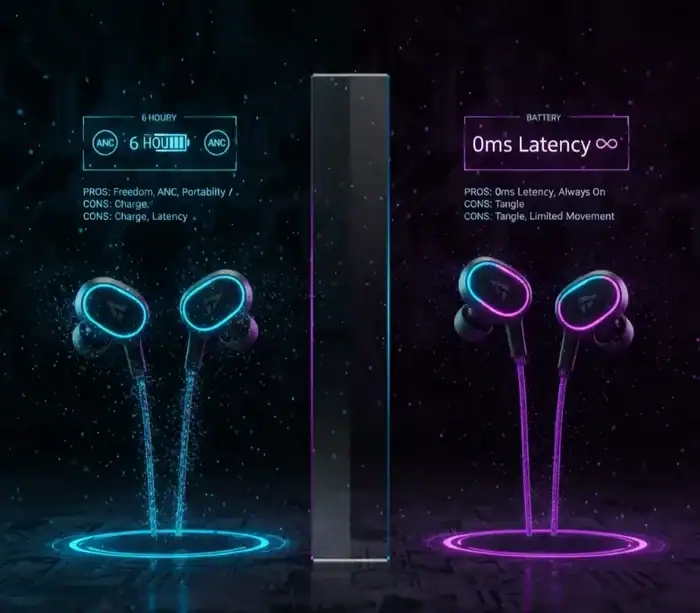
| Wireless 2.4GHz | Playing competitive mobile shooters or MOBAs | Low latency (40-60ms), ANC support, freedom of movement | High cost ($100+), requires USB-C dongle, battery management |
| Wireless 2.4GHz | You need ANC for commuting or travel | Blocks background noise effectively | Drains battery faster |
| Wireless 2.4GHz | Budget allows $100+ investment | Premium features, dual connectivity | Not cost-effective for casual gaming |
| Wired USB-C/3.5mm | Zero latency is non-negotiable | Instant audio response (0ms) | Cable management, limited mobility |
| Wired USB-C/3.5mm | Battery anxiety ruins gaming sessions | Unlimited playtime | Needs charging port or adapter |
| Wired USB-C/3.5mm | Budget limits spending under $60 | Better sound quality per dollar | No wireless convenience |
| Wired USB-C/3.5mm | You primarily play on one device | Simple, reliable connection | Less versatile for multi-device use |
For most mobile gamers, I recommend starting with quality wired earbuds under $50, then upgrading to 2.4GHz wireless only if competitive gaming justifies the cost.
Standard Bluetooth earbuds work fine for casual mobile gaming. Don’t overspend on features you won’t use.
Compatibility: Android vs iOS Considerations
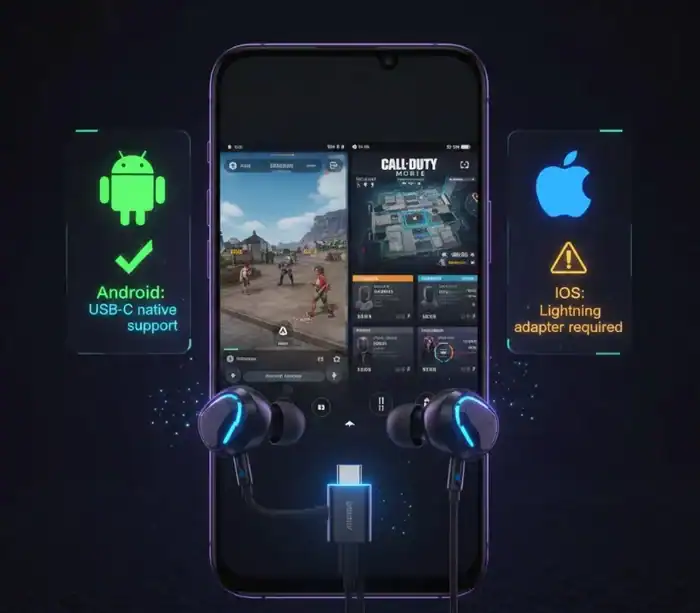
Android devices provide better overall gaming earbud compatibility. USB-C dongles for 2.4GHz wireless work natively on most modern Android phones. The SteelSeries Arctis GameBuds and Razer HyperSpeed both connected instantly to my Samsung and Pixel test devices.
iOS presents more challenges. iPhones lack 3.5mm jacks and USB-C ports (except iPhone 15+). This forces reliance on Bluetooth for wireless earbuds or Lightning adapters for wired options.
The Lightning to 3.5mm adapter adds another point of failure and looks clunky. I experienced occasional connection issues during testing that required unplugging and reconnecting.
For iPhone gamers, prioritize Bluetooth earbuds with strong gaming mode performance like the Razer Hammerhead True Wireless. Accept slightly higher latency as the iOS trade-off.
For portable gaming beyond mobile phones, the Steam Deck setup guide shows how to optimize audio settings for handheld gaming. If you’re recording your mobile gameplay sessions, pairing quality earbuds with proper recording software makes a huge difference. The OBS Studio game recording tutorial helps you capture crisp audio alongside your video. After recording, you can polish your content with free video editing apps for gaming.
Frequently Asked Questions
Complete Your Mobile Gaming Setup
Building the perfect mobile gaming experience extends beyond just earbuds. If you’re investing in quality audio, consider upgrading other aspects of your setup. The best gaming controller for PC and mobile transforms touchscreen gameplay with physical controls that pair perfectly with your new earbuds. For gamers who want a complete portable setup, the best gaming laptops under $1500 provide serious performance for both mobile and PC gaming.
If you’re creating content around your mobile gaming sessions, the Game Bar in Windows 11 for setup and recording offers quick capture tools that work seamlessly with quality audio from gaming earbuds.
Share this article

Aisha is a dedicated gaming contributor who spends her time tracking down the latest digital treasures. She believes every player deserves a head start, which is why she personally verifies every active game code and reward guide before it reaches the community. From Pet Capture Adventure to hidden fishing mechanics, Alma’s goal is to ensure that gamers always have access to reliable bonuses that genuinely enhance their gameplay experience.
View all articles
No comments yet
Be the first to start the conversation!