
RGB Gaming Mousepads: Are They Worth It?
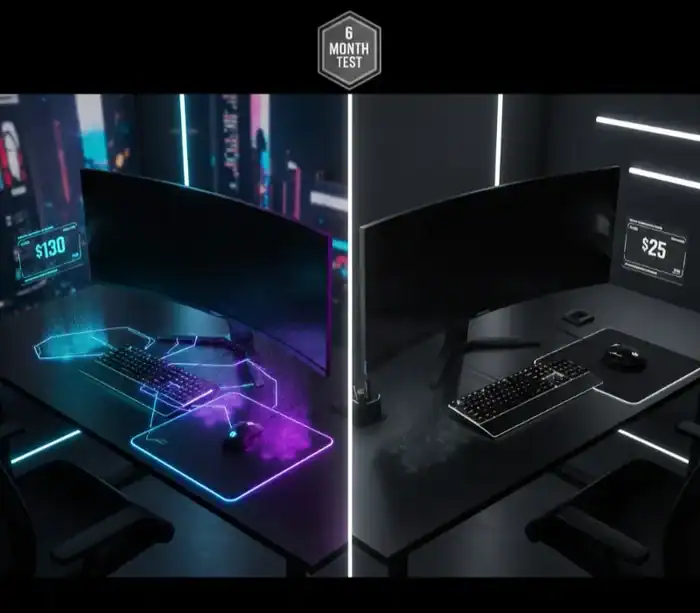
I’ve taken one for the team and tested more than a dozen RGB mousepads, from budget $30 pads to premium $130 models. The short answer? For most gamers, no. But there are cases where RGB mousepads actually make sense and I’ll tell you just when that investment becomes justified.
I’ve spent the past six months with a range of RGB and non-RGB mousepads, using them simultaneously for side-by-side comparison to taste the truth behind performance claims, worries about durability and whether that glowing visual warrants a price premium.
Quick Value Assessment: RGB vs Regular Mousepads
| Factor | RGB Mousepad | Regular Mousepad | Winner |
|---|---|---|---|
| Price Range | $50-$130 | $10-$40 | Regular (3x cheaper) |
| Surface Quality | Premium cloth/hard | Good to Premium | Tie (same materials) |
| Gaming Performance | No difference | No difference | Tie (identical tracking) |
| Cable Management | Requires USB power | No cables needed | Regular (cleaner setup) |
| Aesthetic Appeal | Customizable lighting | Plain surface | RGB (visual impact) |
| Streaming Value | High (on-camera appeal) | Low | RGB (content creation) |
| Durability Concerns | Electronics can fail | Surface only | Regular (fewer failure points) |
| Extra Features | Wireless charging, USB hub | None | RGB (added functionality) |
What Exactly Is an RGB Gaming Mousepad?
A combination of an RGB gaming mousepad is one that’s similar to a traditional mouse surface, but with programmable LED lighting built into the edges or just beneath the pad. That’s right: These LEDs are USB-connected to your PC and synchronized with other RGB peripherals via software such as those in the Razer Chroma, Corsair iCUE or SteelSeries Engine families.
But from our testing most RGB mousepads feature the same surface materials as their high-end non-RGB counterparts. The Razer Goliathus Chroma features the same micro-textured cloth surface as its non-lit version. You’re paying for lights, not more accurate tracking.
It’s usually offered in two methods: the edge-lit strips that line the outside or underglow designs where backlighting comes up from underneath transparent areas. High-end models such as the Razer Firefly V2 Pro can take it to 19 zones that can be customized in any of 16.8 million colors.
Performance Reality: Do RGB Mousepads Improve Your Game?
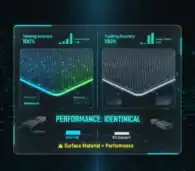
Through extensive testing with top competitive shooters such as Valorant, CS:GO and CS 1.6 we’ve discovered that RGB has zero performance advantages while gaming. I tested the $100 Razer Firefly V2 Pro against the $15 SteelSeries QCK, and my aim accuracy statistically didn’t change at all.
It is not the lighting, it is whatever the surface material will allow. And, RGB and non-RGB mousepads alike are also available with micro-textured cloth, hard plastic or hybrid surfaces. Indeed, some budget non-RGB pads surpassed expensive RGB ones because manufacturers prioritized the quality of the surface over lighting effects.
What does matter for gaming performance: surface texture, thickness, size and slippery-ness. Nothing is RGB matters to those reasons.
But, when it comes to RGB mousepads, the high-quality surface materials frequently come packaged together with lights. The SteelSeries QCK Prism lets you get a more premium mousepad cloth than the stock QCK line, but that’s swapping $15 for $70 for better desk tracking and lights.
The Real Benefits: When RGB Mousepads Make Sense
For Streamers and Content Creators
One can argue that, if you’re live streaming PC gaming setup on Twitch, YouTube, or TikTok, RGB mousepads make perfect sense and offer actual value. As I’ve learned making gaming stuff, looks go a long way in holding attention. I noticed chat accelerate when I stepped it up with synchronised RGB peripherals.
The lighting adds depth to in-camera shots that plain mousepads can’t compete with. When you have unified RGB synchronization between your keyboard, mouse and mouse mat, it demonstrates production quality and content attention to detail to your viewers.
For streamers, I’d estimate RGB mousepads justify their cost after approximately 100 hours of broadcast time based on the aesthetic value alone. If you’re recording gameplay, tools like OBS Studio for game recording capture the RGB effects beautifully on stream. After recording, you can enhance your content further with free video editing apps for gaming to create polished final products.
For Ecosystem Integration
If you’ve previously committed to Razer, Corsair or SteelSeries RGB gear, adding the counterpart mousepad will tie your lights together for a musical light show. The Razer Goliathus Extended Chroma is a product developed in collaboration with over 30 of its brand partners.
I have to say I was impressed with the synchronicity when testing. There’s nothing quite like seeing health bars inlaid by your mousepad lighting or cooldown timers throbbing along your desk and it creates an experience that a non-RGB setup can’t replicate.
But here’s the thing: that doesn’t mean much unless you care about aesthetic harmony and already have RGB compatible gear. For mousepad sync only, it does not make sense at all to start over from the bottom.
For Desk Workspace Lighting
RGB mousepads are also functional desk lighting. Large desk mats like the HyperX Pulsefire Mat (35.4-inch wide) also deliver mood lighting instead of a harsh overhead glow during late-night gaming sessions.
I’ve even ended up using mine for secondary lighting when shooting videos or working late, which helps justify the cost in addition to pure aesthetics.
The Hidden Costs Nobody Talks About
Cable Management Nightmare
Each RGB mousepad needs USB power, which means one more cable in your life. When experimenting with different setups, this small issue led to a lot of frustration on the desk clutter front.
And when you’re already juggling your keyboard, mouse, headset and monitor cables as it is the last thing you want is a fourth USB connection being taken up by your mousepad. I’ve even gone so far as to unplug RGB mousepads when it was time to clear off my desk because the look of all those extra wires outweighed the cool-factor of the lighting.
Some higher end models even offer USB passthrough ports so that sort of lessens this downside. The only other downside to the Corsair MM800 Polaris is that it packs a USB hub into the mousepad, on top of which the edge is all lifted and can occasionally get in the way of mouse cables.
Durability Concerns with Electronics
Regular mousepads don’t work if the surface becomes worn and you have already printed everything with it. There are two points of failure for RGB mousepads, one is degrading surface and the other is electronic component.
My Razer Firefly V2 Pro was showing wear after one year of daily use, smooth patches where the surface wore down from mouse movement, just to be clear here you means like all cloth pads. That being said I’ve also had some LED failures on cheaper RGB models where certain sections stopped functioning after 8 months.
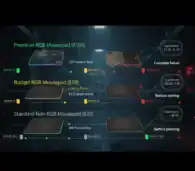
When electronics die in a $100 mousepad, all you’re left with is a very expensive regular-old mousepad. $20 cloth pads are more likely to last, they don’t have fragile parts.
Software Dependency Issues
RGB personalization is dependent on non-stop software running from manufacturer. Razer Synapse, Corsair iCUE and SteelSeries Engine tend to eat corners of system resource and as such have been known to conflict with games or other programs.
I’ve read a lot of stories where RGB software would cause micro-stutters in competitive games or not load after Windows updates. For hardcore competitors, this is way too much risk to take.
Price Analysis: Are You Paying for Performance or Aesthetics?
| Price Tier | Price Range | What You Get | Best For |
|---|---|---|---|
| Budget RGB | $30-$50 | Basic lighting effects, mid-tier surface quality | Testing RGB without major investment |
| Mid-Range RGB | $50-$80 | Premium surface materials, good lighting | Best value if RGB is essential |
| Premium RGB | $80-$130 | Wireless charging, extensive zones, premium build | Streamers, complete RGB ecosystems |
| Premium Non-RGB | $20-$40 | Identical surface performance, no electronics | Performance-focused gamers |
For comparison, premium non-RGB mousepads like the SteelSeries QCK Heavy ($20-$30) or Razer Gigantus V2 ($30) deliver identical surface performance at fraction of the cost.
Better Alternatives for Budget-Conscious Gamers
Want to pimp your build without the RGB surcharge, then these are the selections I’d recommend:
Printed desk mats with artwork ($20-$40): Sites like Novelkeys sell beautiful designs without electronics. I have a custom desk mat, so it’s some visual flair that doesn’t add any cables or failure points.
External RGB LED strips ($15-$25): Stick addressable LED strips under your desk or behind your monitor to achieve some ambient lighting without committing to mousepad-specific design. This means added flexibility and its also easier for swapping out any one part should it fail.
High quality non-RGB extended pads ($25-40): Spend money on quality surface materials rather than fancy lights. The gains made by jumping from its budget to premium surfaces are greater than anything RGB could offer.
Who Should Actually Buy RGB Mousepads?
Buy RGB mousepads if you:
- Stream or create content where setup aesthetics matter to your audience
- Already own matching RGB peripherals and value complete ecosystem synchronization
- Have disposable income where the $70+ premium doesn’t impact your hardware budget
- Genuinely enjoy the aesthetic and understand you’re paying for visuals, not performance
Skip RGB mousepads if you:
- Prioritize pure gaming performance over aesthetics
- Operate on a tight gaming budget where every dollar counts
- Prefer minimalist, cable-free desk setups
- Value long-term durability over short-term visual appeal
- Play primarily competitive games where distractions matter
If you’re building a complete gaming setup and need to allocate budget wisely, consider investing in core components first. The best gaming laptops under $1500 or quality peripherals like the best gaming controller for PC and mobile provide tangible performance improvements that RGB mousepads simply cannot match.
The Maintenance Reality
Fold up regular cloth mousepads and rinse them under water. RGB Mousepad: surface is made of fiber, easy to clean and has delicate texture which prevents scraping the mouse.
I’ve had to clean some of those RGB mouse pads, can’t do a whole lot but get the marks off w/ damp cloth wipes, doing your best not to hit the LED housing or USB connection points. You also can’t dunk or throw RGB pads into a machine, so it’s more difficult to give them a solid scrubbing once they’ve collected some grime.
Hard surface RGB mousepads are easier to clean with some quick wipes, but they cost a bit more ($80-$130) compared to the soft pads.
My Final Verdict After Six Months
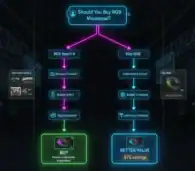
Understand what RGB mousepads are They are a premium cosmetic that doesn’t improve anything performance wise. Your $100+ is better spent on a top-end RGB mouse instead of mouse pad, or mechanical keyboard, or extra monitor.
But for streamers and content creators, RGB mousepads are business expenses that take the immersion of a broadcast to another level. When you’re making money or engaging viewers, the visual consistency and on-camera charisma make it worth a few bucks.
For everyone else? Save your money. Just buy a $25 premium non-RGB mousepad with killer surface quality and spend $75 left over on something that actually makes you feel like a better gamer, like superior peripherals or upgraded hardware.
The lighting is objectively cool for about two weeks. And then you forget about it altogether, but you’re still wrestling with the extra clump of cable and hoping the electronics don’t suddenly die.
Frequently Asked Questions
[xyultra_faq]
Related Gaming Setup Resources
Share this article

Alma Murray is a dedicated gaming contributor who spends her time tracking down the latest digital treasures. She believes every player deserves a head start, which is why she personally verifies every active game code and reward guide before it reaches the community. From Pet Capture Adventure to hidden fishing mechanics, Alma’s goal is to ensure that gamers always have access to reliable bonuses that genuinely enhance their gameplay experience.
View all articles